For many, many, many years, the Model Driven interface has been the defining look and feel for many CRM systems. As an enterprise application that is ingrained into an organization’s DNA, there isn’t always a massive drive to make that change and switch happen – “when things are working, why make them stop working”.
And this mindset works great, until you add a new team into the mix, who have seen more than their standard CRM UX/UIs, or you’re trying to implement a CRM with an entirely new organization.
The response is anything but “Wow”.
And yes, Model Driven Apps give you loads for free – structure, security, simplicity, base configuration, module-based access, etc, etc – that make them worth the effort.
But still, we can make them better.
If you’re stuck with what to do to make your UX/UI stand out in your Model Driven Apps, here are some ideas that I’ve been working with for the last few months.
Web Resources are Modular Applications
If you are only using your web resources for randomly scattered JavaScript files, you’re missing out on what they can give you. With a complete and rich XRM API and ODATA implementation, Web resources can assume the user’s context, passing in the current context of data and show you some make some dashboards that would make Power BI cry.
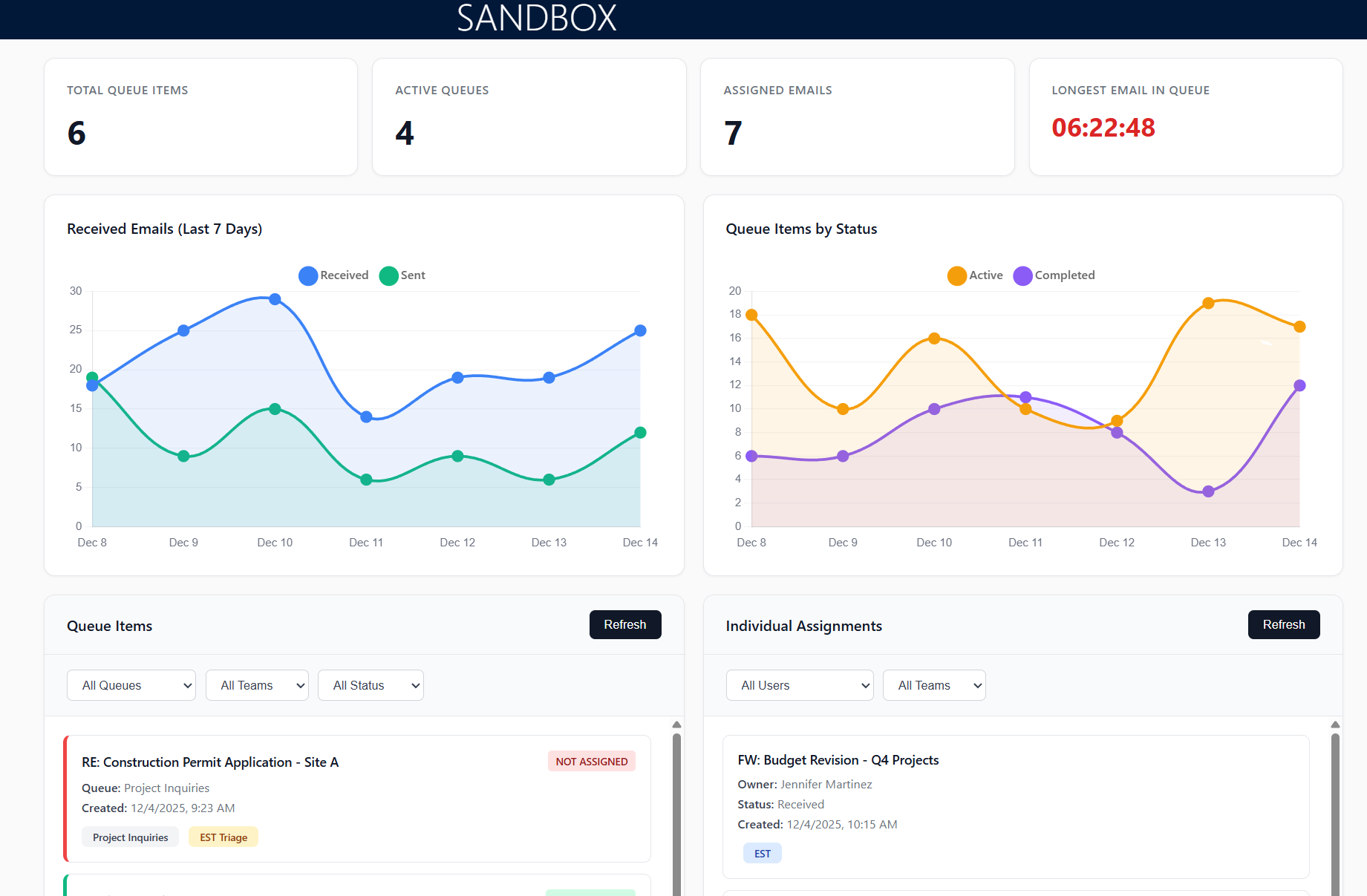
Below is a REACT app, hosted in an HTML resource that plugs into my dataverse schema. We were going to build this in Power BI, but instead tried this simpler solution to achieve the same goal and allow the user to keep working in this app. Users can click and drill down into their projects to see data and interact with filters
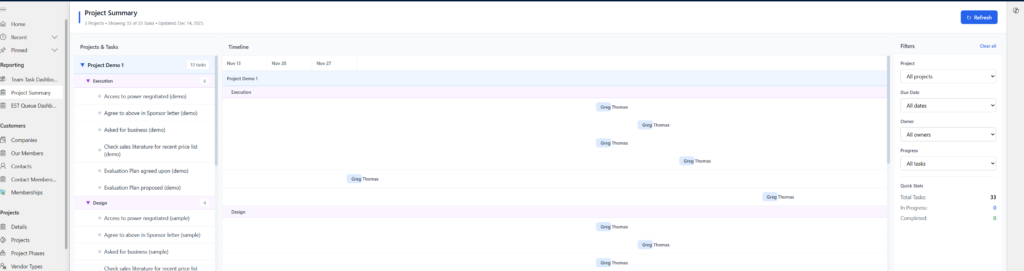
Here is another app that was built, purely using JavaScript, CSS, and XRM libraries, that takes a queue dashboard and yields the stats that any contact centre manager wants to see.
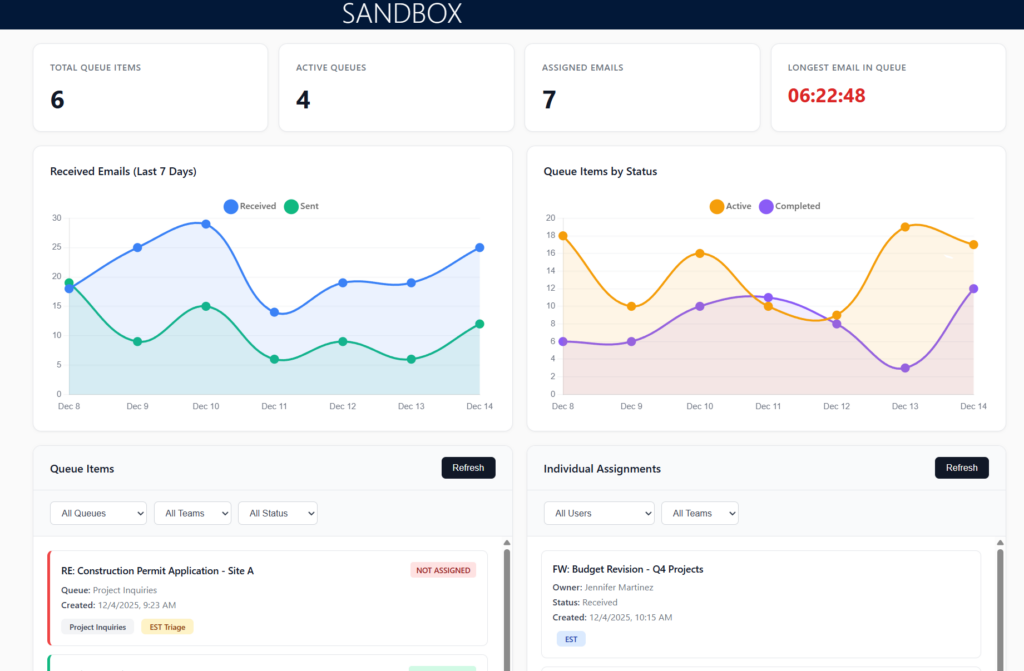
From here, managers can see overall queue performance over time and see who is on what. If you wanted to take it a step further, you can integrate the base Pick and Pull functionality that is already part of PowerApps.
Change up your Views
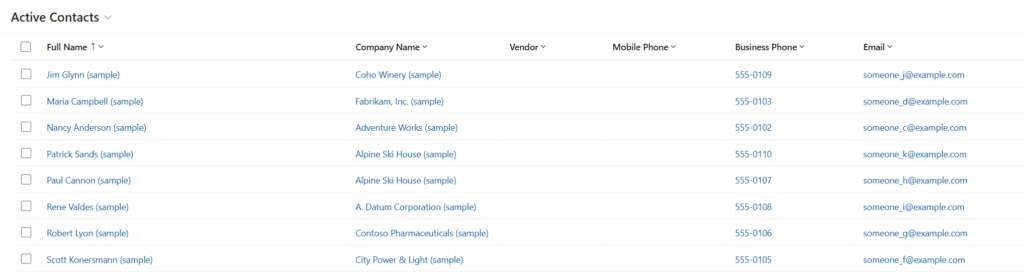
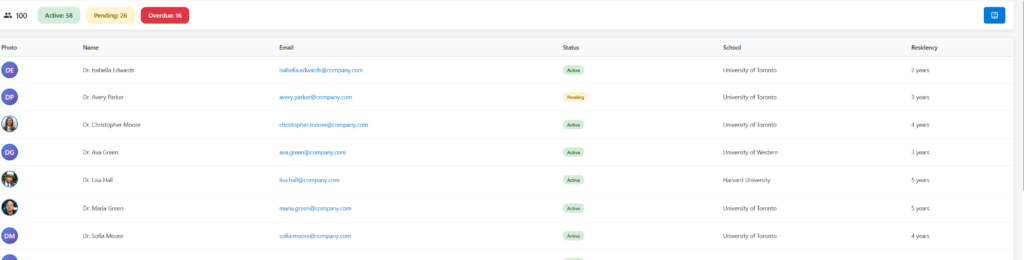
The standard view looks like this: I can do some roll-ups and calculations on individual columns, but it will never go beyond this. Generally, this view has not changed in forever, although it does get the job done.
Or instead of showing this list view, I could do something like this that shows a card-style approach to our contacts and, even better, pulls in information and details from other related entities, giving me a valuable peek into customers.
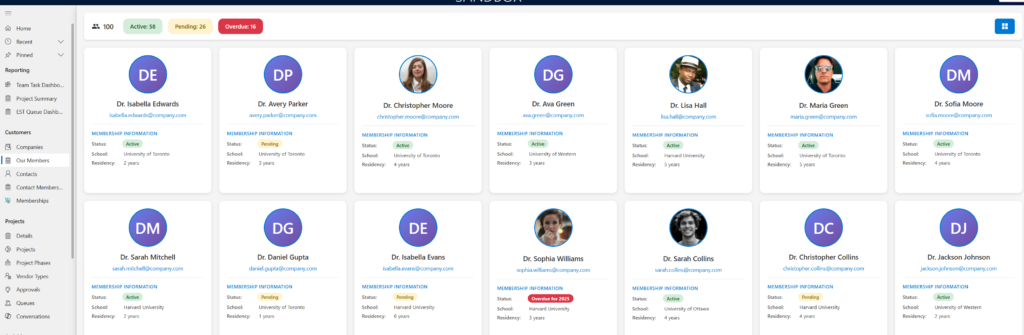
And if you want to toggle back to a more grid-like approach, you could build this functionality to toggle between both worlds (or in some apps, I itemize them as “By Grid” or “By View”.
Canvas Pages
Maybe your initial thoughts right now are – “that’s great, but I’m not a web developer, and I don’t want to become one” – great point, my UX acumen is not at this level as either – but are you using Power Pages within your Model Driven Apps?
If you’re not using Canvas Pages, then you’re missing out on bringing all that sweet interactivity to your users, where again, you can showcase everything you already have stored in a much more user-friendly fashion.
Take the following Canvas Page I created; this page is easily added to my App (by selecting Canvas Page) and linked to any and all pieces of data. In the screenshot below, I am showing “Projects,” but in those grids, I’m showing updates at a glance on task completion.
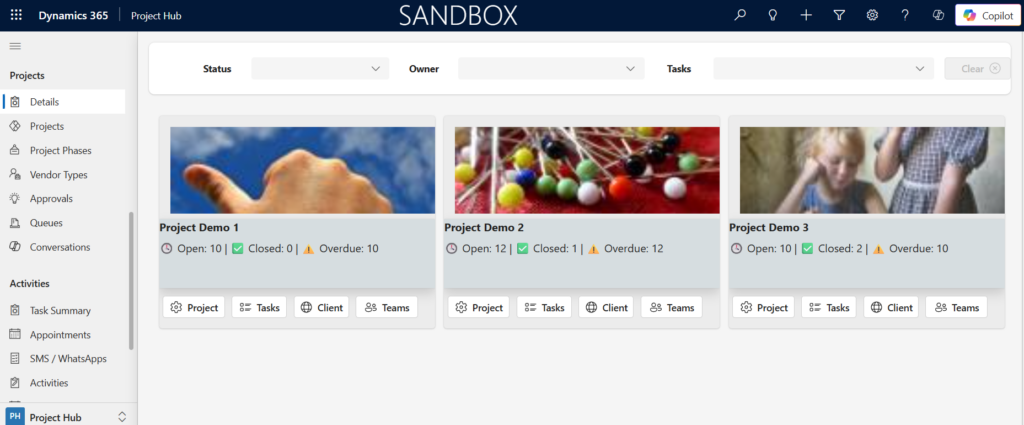
Within each card, a user has the ability to “Jump off” to different areas of the project. In this case, “Tasks” opens a flyout with all tasks for the user to walk through, “Client” takes them to an external portal, “Teams” takes them to a Teams channel, and “Project” takes them back to my model-driven form where they are comfortable working within.
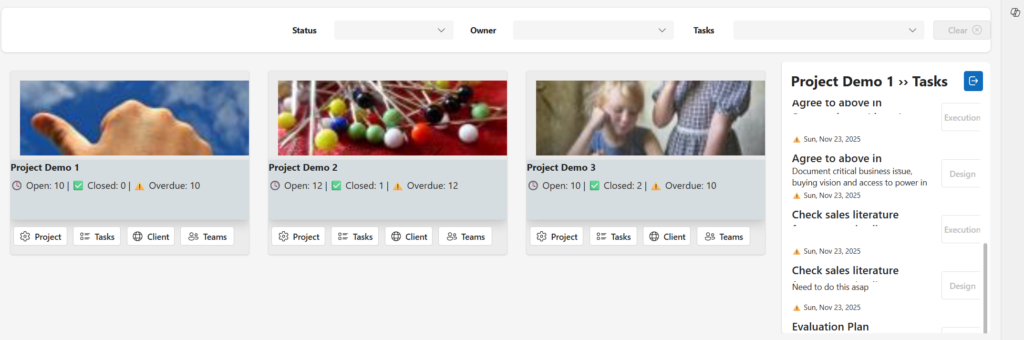
And the code to navigate the user back to our model-driven forms is pretty simple.
Navigate(
    LookUp(
        Projects,
        Project = ThisItem.Project
    )
)
What I love most about Canvas Apps Pages, is that they operate similar to web resources, a singular, modular app, plugged into something bigger.
Don’t Reinvent the Wheel
I’d be remiss not to highlight the wonders that “PCF Controls”. I have yet to write my own control, but there is an entire gallery (PCFGallery) of cool tools that can liven up your forms – great and simple solutions for handling multiple images, tagging, mapping, treeviews, etc.
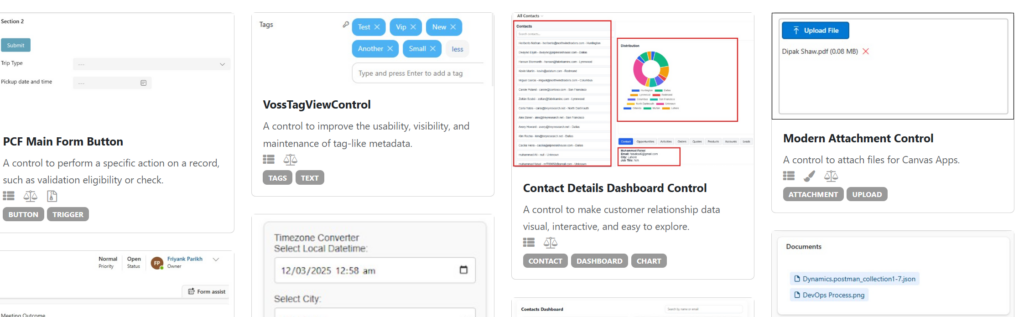
Tons of great ideas and solutions that can help you make your forms pop and become much more interactive.
I thought CRM was all about Configuration
Sure, there is a lot of configuration to CRM, but if you want to make it great and get the most from it with your users and their adoption, it pays to make their lives easier without having to jump between screen after screen after screen to get to one piece of data.
The best part of all of these integrations is when people look at them and go – “Wow, this is CRM/Dynamics365/PowerApps? This is great.”
And that’s the goal.