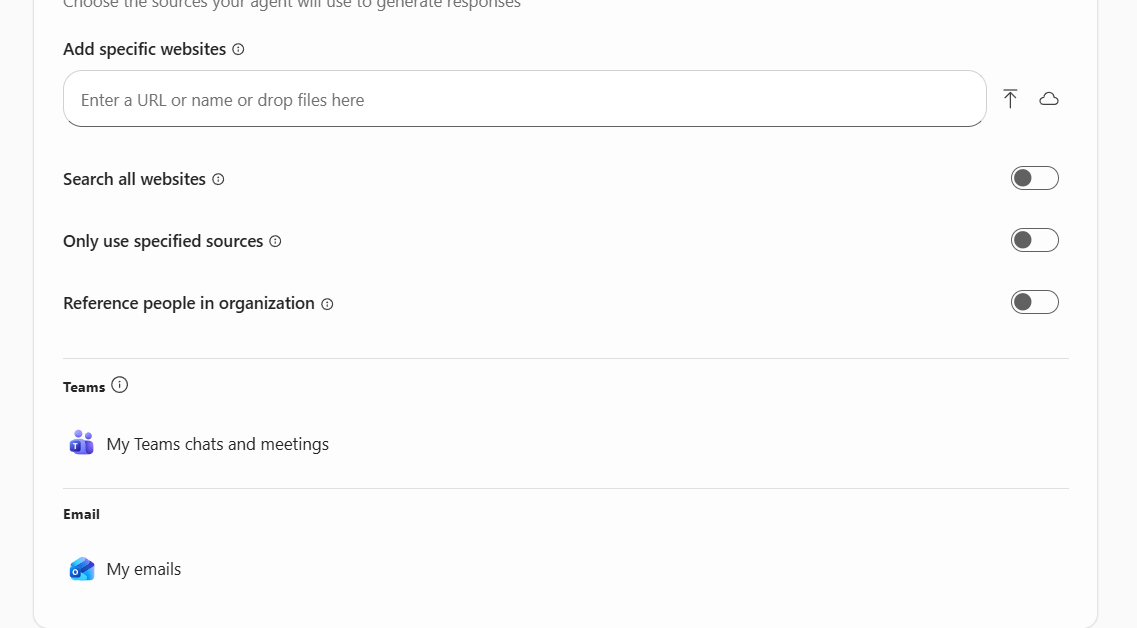
In my very awesome Comic Book Copilot agent, I primarily focused on data coming from external data sources, primarily because I don’t have that wealth of information inherent in my OneDrive, SharePoint, Teams, or Emails, because I don’t partake in business with buying/selling comics (sad, I know).
That said, you do have the ability to use these data sources for your agent, and although you can’t ask your copilot to do too much, you can get some great insights from it.
What did people ask for the most in 2025?
Emails come in and fly by daily. We handle them, parse them, send them, and move on from them. The smaller the inbox, the better. However, really knowing what the trends are in the emails I receive is kind of interesting.
So I built an “Email Summary” agent that looked at all my emails over the past year to give me some insights into what people are asking for.
I kept the objective pretty simple for this one.
Analyze and summarize the user’s sent and received emails from the past year,
organizing them into meaningful categories to provide insights into
communication patterns and key topics.And from there got right into asking it some questions, primarily – “Give me a summary of the services and technologies that I was being emailed about this year?“
What came back were some break-downs of technologies that I had been asked for – Power Platform, Dynamics, Azure, Architecture – all that good stuff that had immediate links to the emails that were part of the summaries.
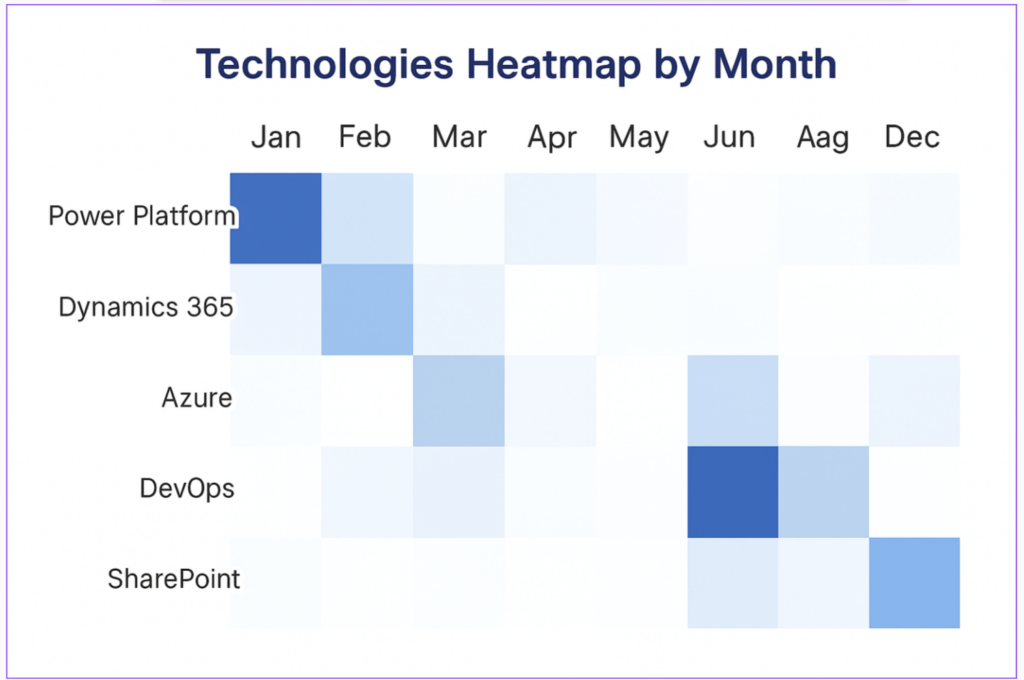
In addition, a data table that aggregated my emails into categories to then add to a spreadsheet was helpful and then I asked graph the results for me a few different ways so I could see the information a bit better.
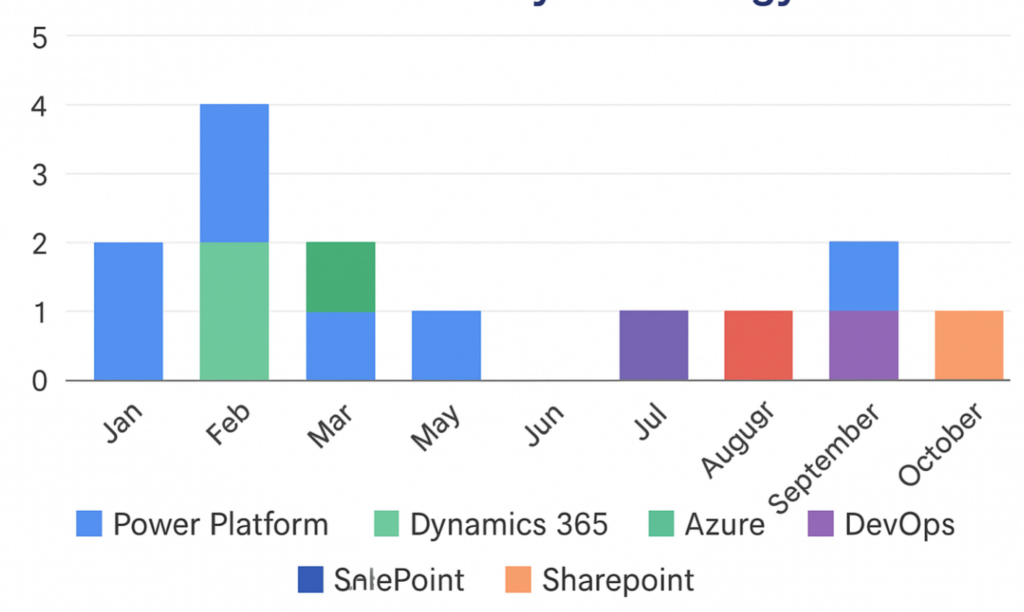
The heatmap provided some great detail that broke down the busy months of interaction (no surprise in June).
If I were going to build a “career agent” here, I would look to marry my own internal emails with my LinkedIn presence to get that 360 view.